Running your a Blockly Demo Program
Select the program you want to run from Blockly Program Manager Menu
Run Program by clicking on the Run Button 🟢 Button
Edit the Demo program
WARNING
By Default Demo Programs are not editable and you should Duplicate them to be able to make modification to them
Edit / Duplicate the Demo program
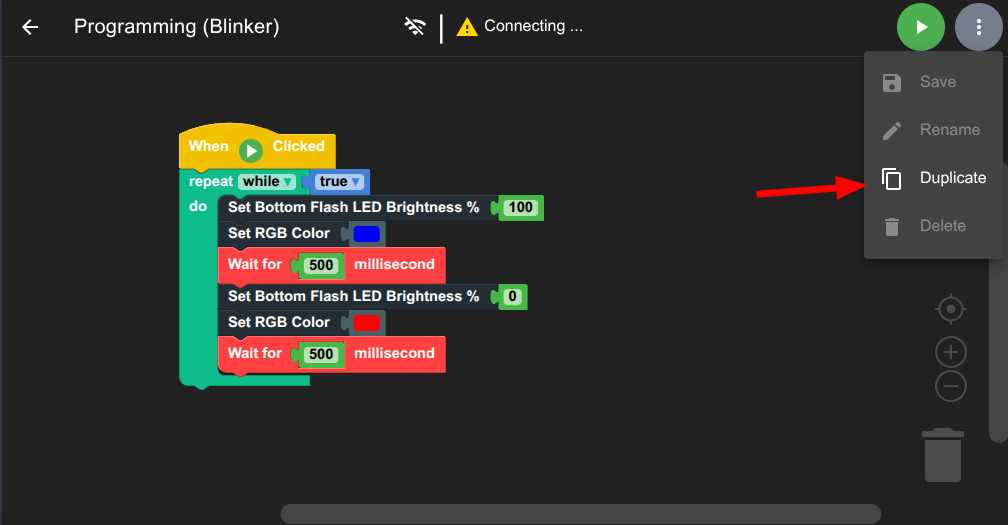
- Click on the top-right Option button
- Select
Duplicate - Enter name of the new program
- Go back to the
Blockly Program Managerand select the new program to modify it !