Assemble RoBeeX
INFO
The RoBeeX AI Drone Kit is a DIY educational drone that includes all the components and tools you need to assemble and fly your quadcopter. This video will guide you through the assembly and preparation for flight.
Inside the Box – Everything Included in Your RoBeeX AI Drone Kit
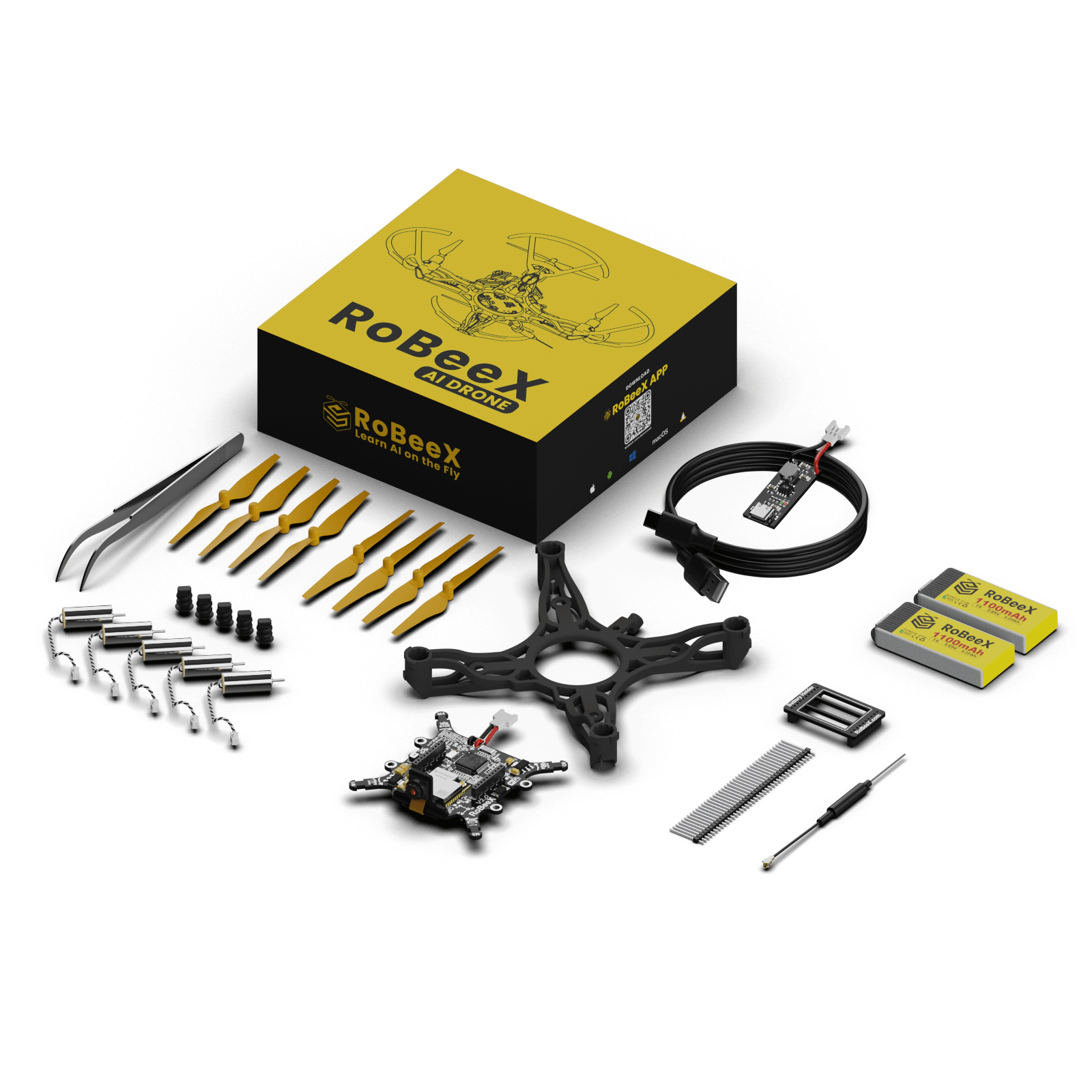
🎥 Video Guide: How to assemble your RoBeeX AI drone
Propeller Installation
Before flight, make sure that each propeller is installed on the correct motor, matching its spin direction (CW or CCW).
WARNING
The CW and CCW propellers must be mounted on their compatible motors, matching the direction of spin for proper operation.
WARNING
Ensure the propeller hub is fully seated on the motor shaft until the end of the shaft is visible (or flush) with the top of the hub.
TIP
Follow the arrow directions shown on the RoBeeX main board near the rubber dampers to identify each motor’s rotation direction.
Motors Numbering
| Motor | Position | Sping Direction |
|---|---|---|
| M1 | Top-Right | CCW |
| M2 | Top-Left | CW |
| M3 | Bottom-Left | CCW |
| M4 | Bottom-Right | CW |
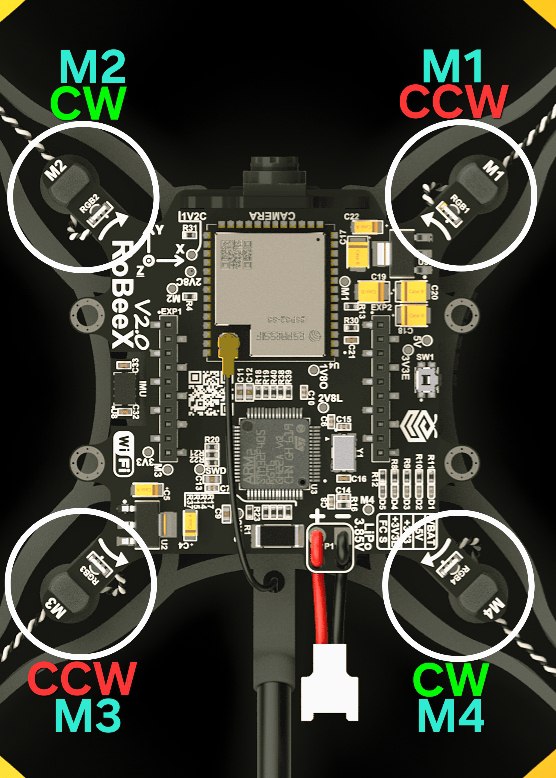
Motors Spin Direction
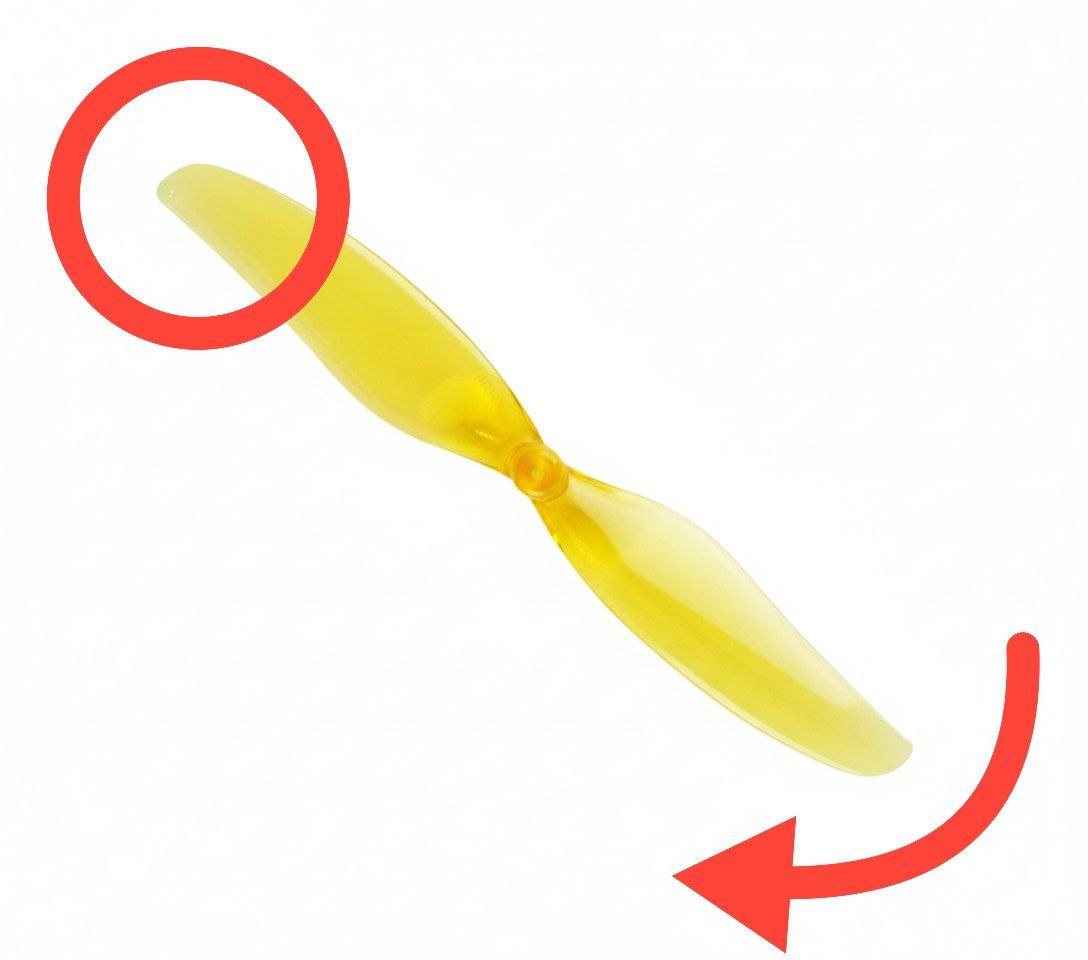
- Motors M1 and M3 rotate Counter Clockwise (CCW)
→ Install the CCW propeller on these motors.
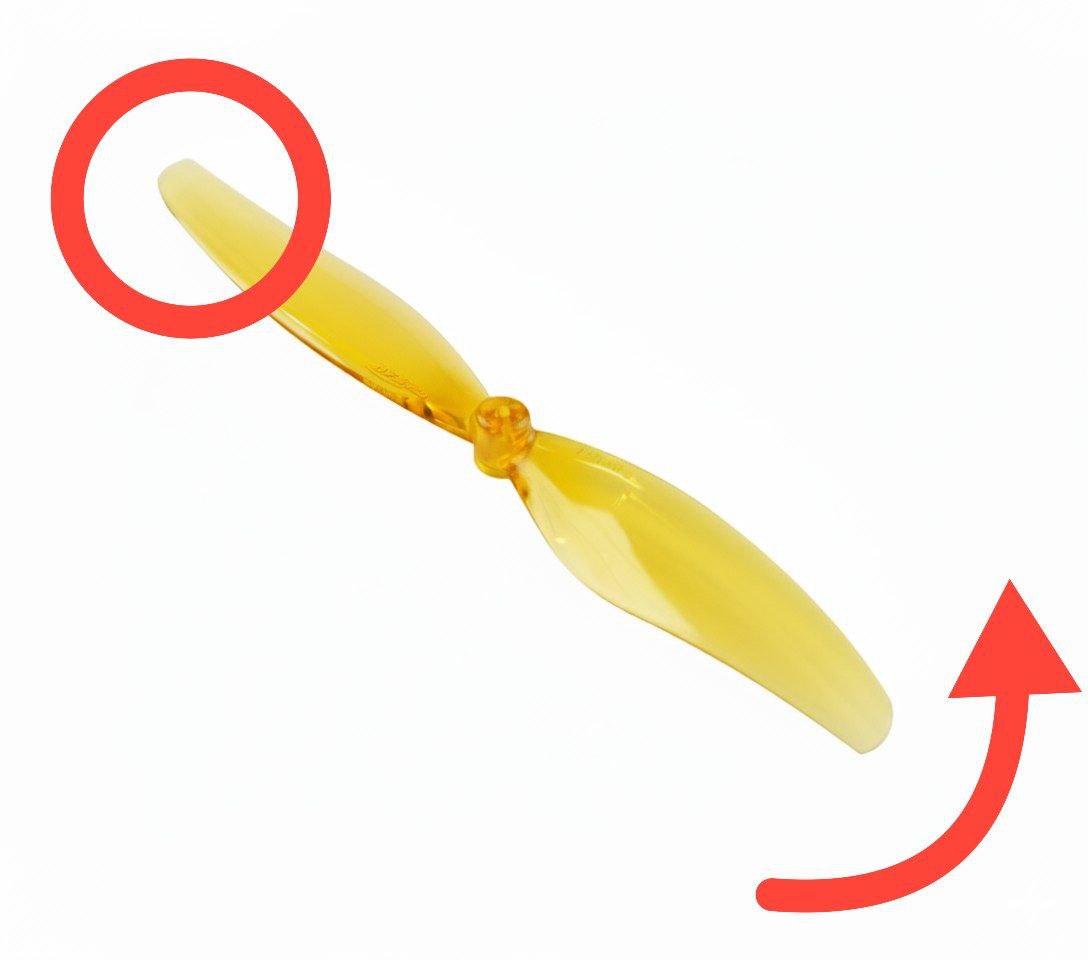
- Motors M2 and M4 rotate Clockwise (CW)
→ Install the CW propeller on these motors.
WARNING
Double-check that each propeller matches its motor’s rotation direction before flight — installing them incorrectly can prevent the drone from taking off or cause instability.
DANGER
Failure to fully seat the propeller on the motor shaft, allowing the shaft to pass completely through the hub, risks propeller ejection during flight.